en


On a phone there are two ways in: the mobile site that opens in your browser with nothing to install, and the downloadable app built for your device. The 88GASIA APK is the Android side of that second route, and because it does not arrive through the Play Store, it takes a couple of extra taps to install. Below is where each download comes from, how to install the Android file without lowering your guard, what the iPhone route looks like, and why 918KISS, Mega888 and poker still need their own apps.
The Mobile item in the lobby menu opens the mobile version of the site, the one people search for as m.88gasia. It runs in the phone browser, so there is nothing to install and nothing to update. The apps are separate: the site footer carries iOS and Android QR codes, and once you are logged in, Basic Information in the member area holds IOS and Android tabs with the same downloads.
| Option | What you install | Best for | What to watch |
|---|---|---|---|
| Mobile site | Nothing, it runs in your browser | Trying the lobby, shared phones, low storage | Keep the browser updated; supported browsers are listed in the site footer |
| Android app | An APK file from the Android QR code or tab | Regular play on an Android phone | No Play Store listing, so Android asks permission before installing |
| iOS app | The build behind the iOS QR code or the IOS tab | Regular play on an iPhone | Follow only the steps shown inside your own account |
| 918KISS, Mega888, KaiYuan poker | Each product’s own app | Those specific games | Balance has to be moved in and out through Transfer |
The browser version carries login, the cashier and the reports without taking up space. The app makes sense when the phone is yours alone and you open the lobby most days.
Register in the browser first, then grab the download that matches your phone from inside your account.
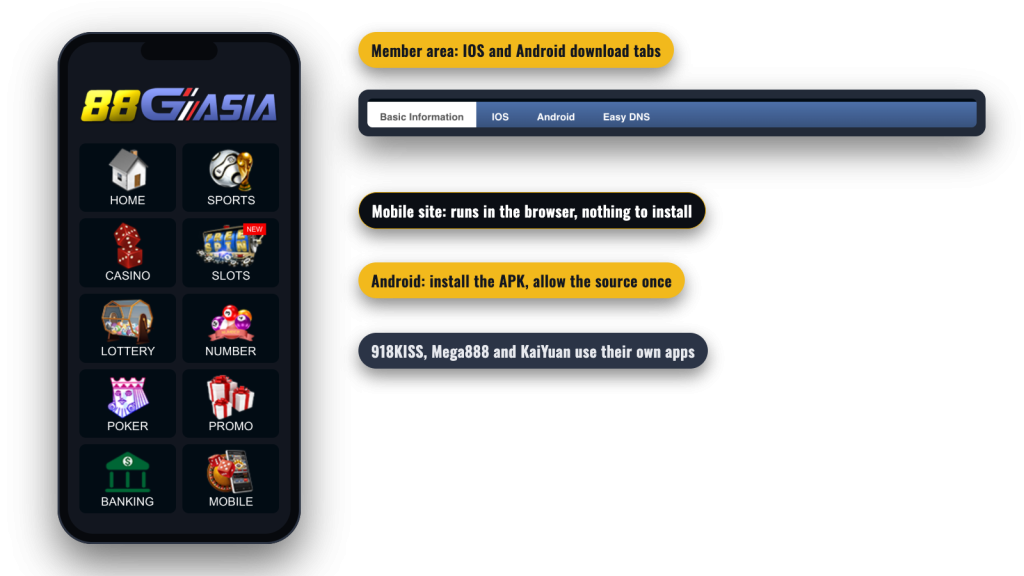
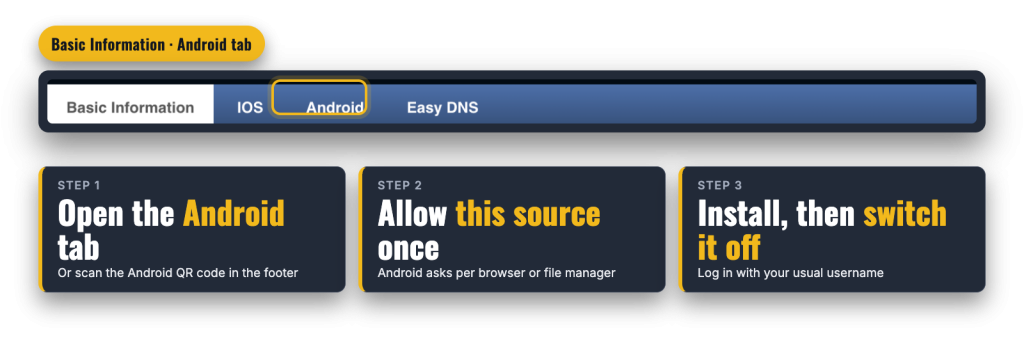
The Android file sits behind the QR code in the footer and the Android tab in Basic Information. Because the file comes from outside the Play Store, Android will stop the first install attempt until you say the source is allowed. That is standard Android behaviour: the Install unknown apps permission is granted per browser or file manager, not once for the whole phone.
Do not skip that last step. Leaving the permission open means any later file from any source can install without a prompt, so turning it off costs you nothing and closes the door behind you.
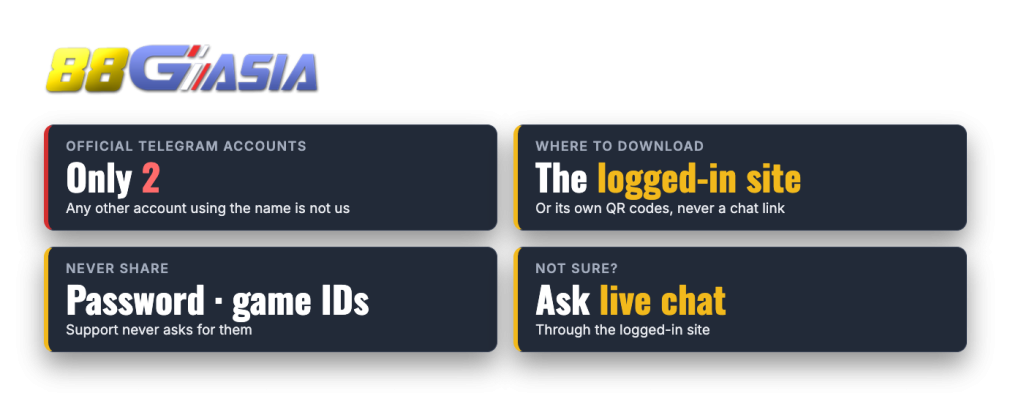
For iOS, use the iOS QR code in the footer or the IOS tab in Basic Information, then follow the steps that appear there. There is no App Store listing, and the installation route is not spelled out in advance, so the instructions shown in your own account are the only ones to trust. If anybody sends you a file, a configuration profile or a shortcut claiming to be our iPhone app, do not install it.
The mobile site remains the simpler option on iPhone. It opens in Safari or any updated browser, needs no permissions and no installation, and puts the same member area in front of you.
An APK is just a file, which is exactly why fakes exist. A copy that looks right can still be built by someone else, and anything you type into it goes to them, including your password and your game IDs.
You can reach support directly from the browser version at any time, so there is never a reason to hunt for a download or a contact somewhere else. The full game lobby and how to get started sits behind the same login on every device.
Two of our slot products do not live inside the main app at all. 918KISS runs as its own iOS and Android app, downloaded from the official 918KISS download page linked in the lobby, and Mega888 is played through its own app as well. Each one has its own game ID and password, both shown on the Transfer screen next to that wallet’s balance. KaiYuan, the poker product, also has downloadable apps.
Money does not follow you automatically. Open Transfer, move an amount from your Main Account into 918KISS, MEGA888 SLOTS or KaiYuan, and move whatever is left back afterwards. A balance sitting in a game wallet is not in your Main Account, so it cannot be withdrawn until you transfer it home. The mechanics of both slot apps, including the IDs and their bonus rules, are covered on the page for the 918KISS and Mega888 apps.
Login works the same way as on desktop: username and password in the header, a Forgot Password link if you need it, and a Telegram login option in the login pop-up. You can change your password from the member area too, under Change Password.
The rest of the account tools are there as well, including Deposit, Withdrawal, Transfer, Bet Reports, Statements and Bonus. Fast Deposit handles the routes phones are best at, with FPX internet banking, Touch ‘n Go eWallet QR and DuitNow QR sitting behind the FPX, Quick Pay and E-wallet options. That gateway takes MYR 100 to MYR 30,000 per transaction, while bank transfer goes lower; the individual deposit routes and limits differ enough to be worth checking before you top up. Remember that the deposit form asks you to pick a promotion, or none, at the moment you pay.